Few inks, every pixel counted.
An e-ink frame has a fixed grid of pixels and a handful of inks. Pic2Ink prepares a photo for exactly that grid and those inks, sends it in the frame’s own protocol, and can measure what the frame’s bezel hides. Four ideas, no formulas.
Four ideas
-
1
Few inks, many pixels
A Spectra 6 panel such as TapMora’s has six inks: black, white, red, yellow, green and blue. The frame lists them in its own reply.
Error diffusion picks the nearest ink for each pixel and passes the rounding error on to the pixels next to it, so patterns of inks read as the colours in between. Pic2Ink uses DITHR’s methods: Floyd–Steinberg, Atkinson, Jarvis, Ostromoukhov, or none. The default is DITHR’s own hybrid of Atkinson and Jarvis.
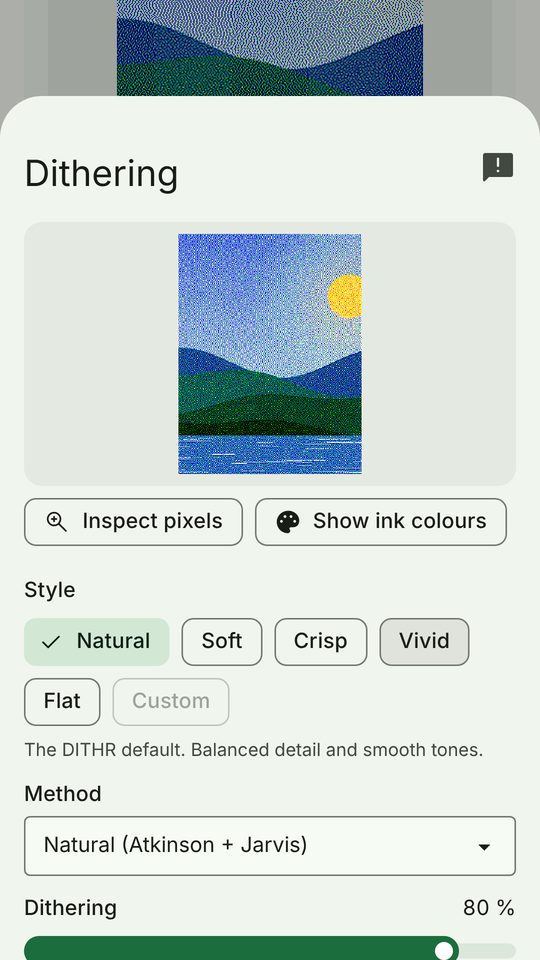
The Dithering sheet in Advanced mode (version 0.1.0). -
2
The exact buffer
The picture is prepared at the panel’s own size — 304×400 pixels for TapMora — and contains only the panel’s inks.
The preview is that same buffer, scaled up with square pixels; it never feeds back into it. Export as PNG saves exactly what would be sent.
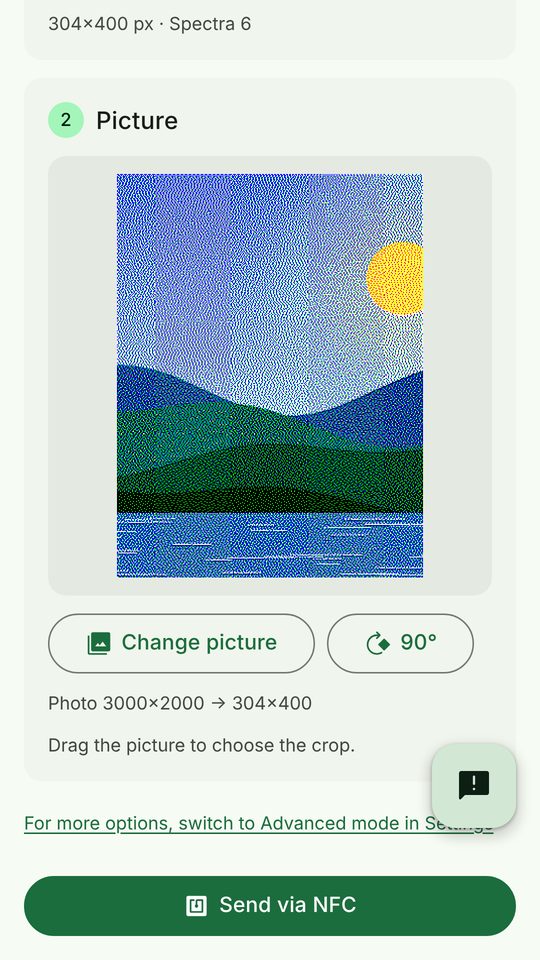
A 3000×2000 photo prepared as 304×400 for a TapMora frame. -
3
NFC, in the frame’s own protocol
The phone talks to the frame over NFC, using the protocol DITHR implements for that frame family; a battery-free frame such as TapMora also takes its power from the phone. With TapMora, the app first reads the frame’s configuration, then sends the packed image — compressed, since the frame reports that it can unpack it — and waits for the refresh to finish.
Only when the frame reports that it is done is the send called “confirmed”; otherwise it is “sent, not confirmed”. A TapMora frame whose reply does not match its profile (size, number of inks, which inks) is not sent to at all. In Advanced mode, Diagnostics shows each command.
-
4
Measuring the bezel from a photo
Many frames hide a few edge pixels under the bezel, and each unit differs. Measure bezel sends an edge ruler: on each edge, bar k covers pixels 0 to k.
You take one photo of the frame. The app finds the panel’s outline, maps the photo onto the panel’s grid (a homography), and reads where each ruler bar disappears. That gives the hidden pixels per edge, to about ±1 pixel. You check the numbers and save them for that frame.
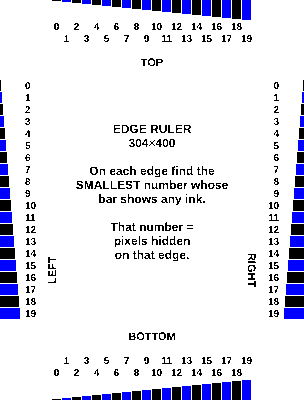
The ruler itself, 304×400, generated by the app — not a photo.


Auto-detect, for a frame the catalogue does not name.
In Advanced mode, a read-only scan identifies an unknown frame’s protocol family from its own reply. For some frames, an opt-in guided test then sends a calibration image in different encodings, asks what you see, and saves the one that works.